
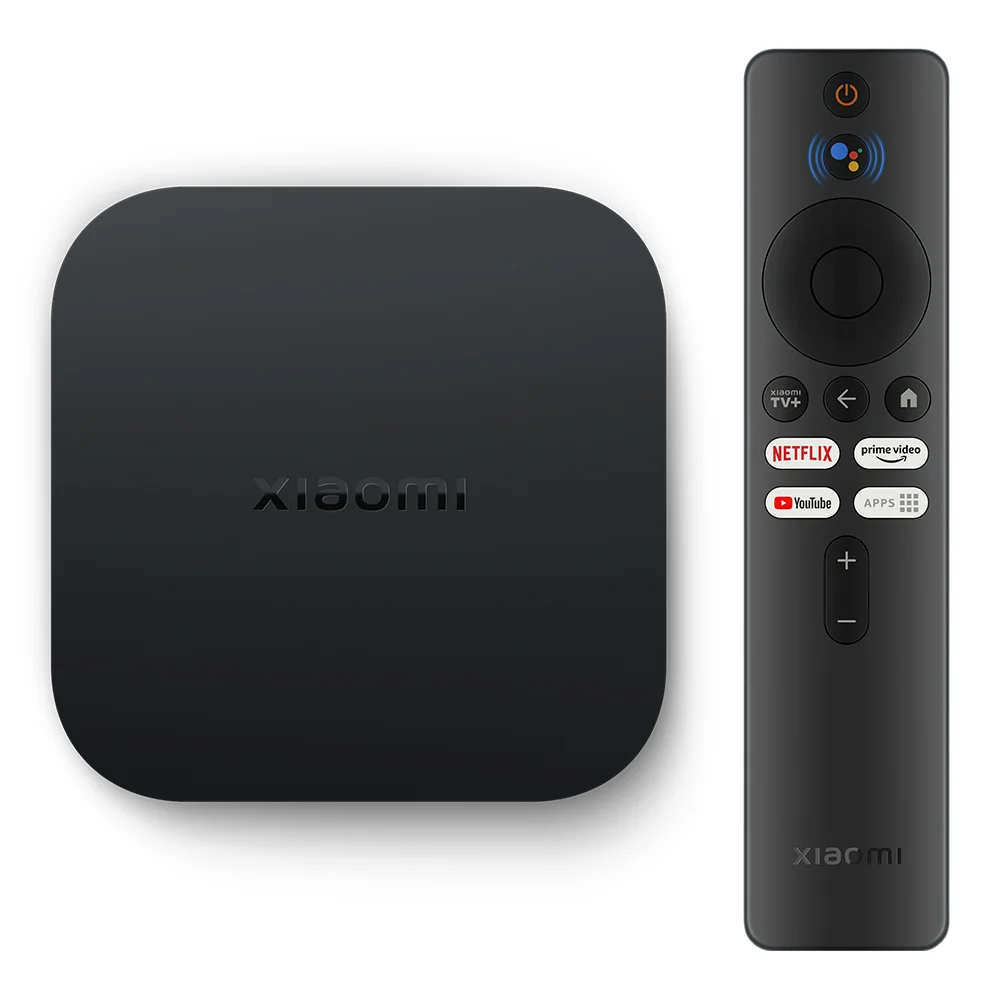
Key Features
-
4K Ultra HD Output – Vivid and ultra-detailed image quality
-
Dolby Vision® & HDR10+ – Stunning contrast, color, and brightness
-
Dolby Atmos® & DTS-HD – Cinematic surround sound experience
-
Powered by Google TV™ – Smart content recommendations, personalized experience
-
Voice Control with Google Assistant – Hands-free control and smart home integration
-
Chromecast Built-In™ – Cast content from any device to your TV
-
Bluetooth 5.2 & Dual-Band Wi-Fi – Faster and more stable connections
-
Compact Remote with 360° Control – Includes Bluetooth and IR for device control
Hardware Specifications
| Component | Specification |
|---|---|
| Operating System | Google TV™ (based on Android TV™) |
| Processor (CPU) | Quad-core Cortex-A55 |
| Graphics (GPU) | Mali G31 MP2 |
| RAM | 2GB DDR4 |
| Storage | 8GB eMMC |
| Video Output | 4K Ultra HD (3840 × 2160) @ 60fps |
| HDR Support | Dolby Vision®, HDR10+ |
| Audio Output | Dolby Atmos®, DTS-HD |
| Wireless | Dual-band Wi-Fi 2.4GHz/5GHz, Bluetooth 5.2 |
| Remote Control | Bluetooth + IR, with Google Assistant mic |
| Chromecast | Built-in |
| Ports | HDMI 2.0, USB 2.0, 3.5mm Audio Out |
| Additional Support | USB to Ethernet adapter, USB flash drives |
| Dimensions | Compact & minimal design |
Smart Experience with Google TV™
-
Organizes all your apps, subscriptions, and content into one personalized interface
-
Discover new shows and movies based on your viewing habits
-
Voice search and smart home control via Google Assistant
Audio & Video Excellence
-
4K Ultra HD: Brings out the finest image details
-
Dolby Vision® & HDR10+: Richer contrast and dynamic lighting
-
Dolby Atmos® & DTS-HD: Immersive surround audio experience
Connectivity & Casting
-
Chromecast Built-in™ – Cast from Android, iPhone, laptop, or tablet
-
Bluetooth 5.2 – Connect remote, headphones, or speakers
-
Dual-band Wi-Fi – Stable 2.4GHz and 5GHz support
Remote Control
-
360° Bluetooth + IR
-
Quick access with intuitive layout
-
Power and volume control for TV and soundbar via IR
-
Dedicated Google Assistant button
Ports & Expansion
| Port Type | Functionality |
|---|---|
| HDMI | Connect to TV or monitor |
| USB-A 2.0 | Flash drives, USB accessories, Ethernet adapt. |
| 3.5mm Audio Jack | Headphones or external speakers |
Simple 3-Step Setup
-
Connect to your TV’s HDMI port
-
Connect to Wi-Fi
-
Start Streaming with Google TV™